About this component
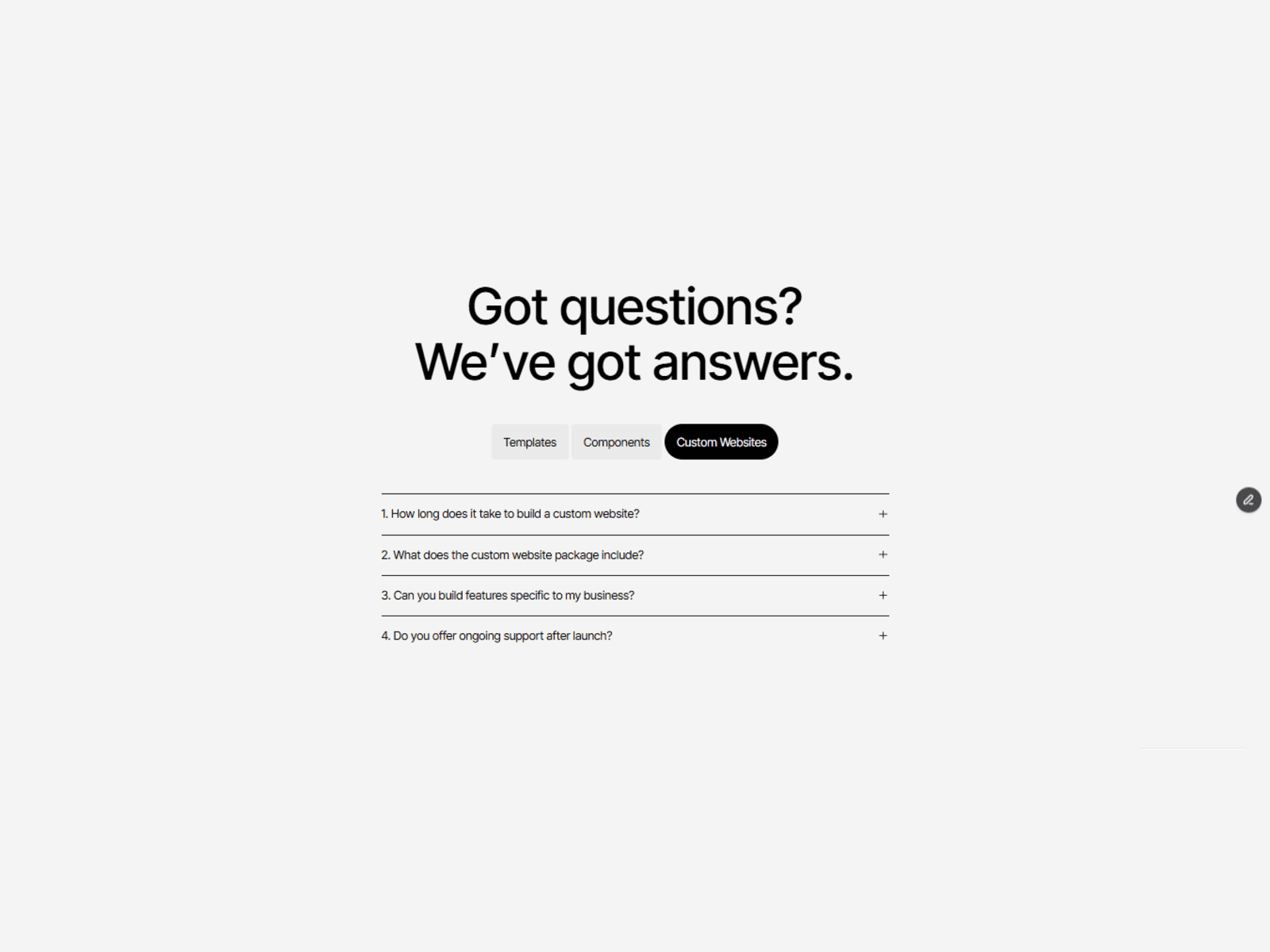
A customizable Framer FAQ accordion that keeps interaction clean by allowing only one item to be open at a time. Designed to work inside a tabbed layout so it feels real and production ready.
Features:
Single-open logic applied with a code override so you do not need variants for every state.
Drop-in ready FAQ container with individual FAQ components inside.
Works inside tabs or as a stand alone accordion.
Lightweight TypeScript override file included for easy reuse.
Mobile friendly and accessible by default.
Preview
What you get:
A remixable Framer project with everything set up.
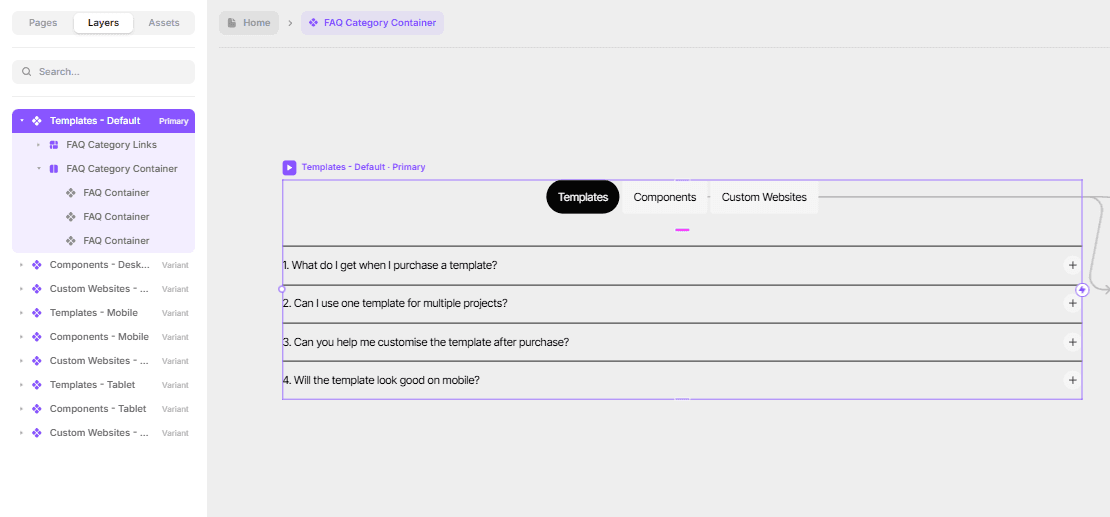
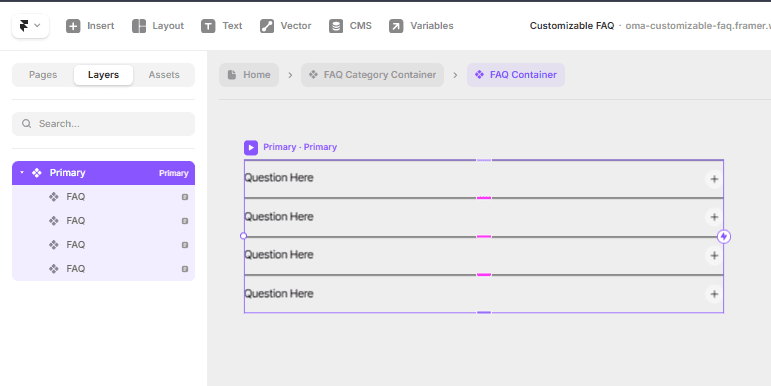
A reusable component group: "faq category container" > "FAQ container" > multiple "FAQ" components.
Code file:
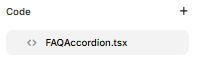
FAQAccordion.tsx(the override that controls single-open behavior).
Setup options:
You can add this to your project in two ways.
Option A. Remix the whole project (recommended if you want everything)
Remix the project.
All components and the code override are included and work out of the box.
Option B. Copy just the component into an existing project
Follow these steps exactly.
Open the original project canvas.
Navigate inside the layers to find the top level group:
Select
faq category container.Inside it, open
FAQ container.
Copy the entire
FAQ containergroup.Paste it into your target project canvas where you want the FAQ to appear.
Confirm the override copied with the component.
Inside
FAQ containeryou will find eachFAQcomponent.Each
FAQis expected to have a code override applied. If the override did not copy you will need to add it manually.
If the code override is missing do this:
Open the original project code folder.
Locate the file
FAQAccordion.tsx.Copy the
FAQAccordion.tsxfile into your project code folder.
Apply the override inside your project. Important details:
Apply the code override to every
FAQcomponent instance inside theFAQ container.Do not apply it to the
FAQ containeritself. The override is intended to run on each FAQ item.In Framer select a single
FAQcomponent, open the Code Overrides panel and chooseFAQAccordionfrom the dropdown. Repeat for everyFAQcomponent.
Troubleshooting and tips:
If the override name does not appear in the dropdown:
Make sure
FAQAccordion.tsxexists in the project code folder and exports the override function namedFAQAccordion.Rebuild or refresh the Framer canvas if necessary.
If items do not close when another opens:
Verify the override is applied to every single
FAQcomponent. Missing one breaks the single-open logic.Check the console for errors from the override file.
If styles look different after copying:
Copy any related style assets or global fonts used in the original project.
Check for class name collisions and rename if needed.
If you want to rename components:
Rename the visible layer names only. Do not change internal class names the override depends on without updating the code.
Final checklist before publishing:
FAQ containersuccessfully pasted into your project.FAQAccordion.tsxpresent in the project code folder if needed.Code override
FAQAccordionapplied to everyFAQcomponent.Preview tested in desktop and mobile.
Screenshots added to the documentation for each step if you plan to publish.
component by
Omakase Design
Fully Customizable FAQ
A customizable Framer accordion built with smart logic that ensures only one item opens at a time—no variant setup needed. Drop it into your tabs system for a clean, real-world FAQ experience.
01
EASY DROP-IN SETUP
02
SMART PROPERTIES & CONTROLS
03
RESPONSIVE BY DEFAULT
04
CLEAN AUTO-LAYOUT STRUCTURE
05
VARIANTS & STATES INCLUDED
06
PERFORMANCE-OPTIMIZED
07
REUSABLE ACROSS UNLIMITED PROJECTS
Last Updated
Need help or support?