

Framer can work for big and enterprise websites in 2026, but only for specific use cases, and only if you architect for scale from day one. It's genuinely enterprise-ready for design-led marketing sites, brand experiences, and internal portals. It is not a replacement for complex editorial CMS platforms or transactional application frameworks.
That's the direct answer. The longer, more useful answer is what the rest of this article covers: which use cases fit, where the hard limits are, and how to structure a Framer project that scales past 100 pages.
Most "Framer for enterprise" content out there falls into two camps: either cheerful feature lists from Framer's own marketing, or shallow "Framer vs Webflow" comparisons that don't help you make a real decision. What's missing is a practical framework built from production experience. Concrete website archetypes. Specific architecture patterns. Honest CMS limits. Governance models that actually prevent a 100-page site from becoming a maintenance disaster. That's what this article provides.
Key Takeaways
Framer is enterprise-ready for design-led marketing sites, brand portals, and internal comms, with SOC 2, SSO, and strong performance out of the box.
It is not the right tool for complex e-commerce, heavy editorial workflows, transactional dashboards, or content archives beyond 10,000 items.
The CMS caps at 10 collections per project and 10,000 items per collection. Plan your content model before you build.
Four concrete architecture patterns (Framer-only, Framer + headless CMS, Framer + app stack, multi-site shared components) cover most enterprise use cases.
Governance and component systems matter more than page count. "Framer sprawl" is the real risk at scale, not performance.
Starting from a system template is the fastest, lowest-risk path to a large Framer site. Omakase templates include component libraries, CMS models, and page templates built for scale.
What "Big" and "Enterprise" Actually Mean
The word "enterprise" gets thrown around loosely in the website world. A 30-page SaaS marketing site calls itself enterprise. A 2,000-page content hub calls itself enterprise. They have almost nothing in common from an architecture standpoint.
Before you can answer "Is Framer right for my enterprise site?", you need to identify which archetype you're actually building. Here are the four patterns I see most often.
The Multi-Product SaaS Marketing Hub
This is the 100- to 300-page site with multiple product lines, a solutions section organized by use case or industry, an integrations directory, customer stories, a resource library, and a blog. Think of any B2B SaaS company past Series B with more than one product to sell.
Framer fits this archetype well, especially when the site is built on modular templates and a real component system. The CMS handles the content volume, and the design flexibility lets product marketing teams ship pages that look distinct without breaking brand consistency.
Where it gets risky: if every new product launch spawns a completely bespoke page with custom layouts and one-off interactions, you'll end up with an unmaintainable mess within a year. The discipline has to come from the system, not individual willpower.
The Global Brand with Multi-Language and Multi-Region Sites
This is the corporate site that needs to exist in English, German, French, Japanese, and Portuguese, with regional variations for content, compliance, and campaign activity.
Framer works well for maintaining brand consistency across these surfaces and for spinning up campaign microsites quickly. Regional marketing teams can build within guardrails without needing a developer for every page.
Where it breaks: localization workflows. Framer does have a native Localization feature that technically supports serving content in multiple languages. The enterprise bottleneck isn't the ability to display different languages; it's the workflow around them. If you need translation approval chains, region-specific content permissioning, or multi-step editorial review for each locale, Framer doesn't have that tooling. You'll need external localization platforms to manage the translation process, with Framer handling the final published output.
The Content-Heavy Thought Leadership Platform
This is the blog-plus-everything site: long-form articles, gated whitepapers, webinar landing pages, event promotions, case studies, podcast episodes. Content is the primary growth engine, and you're publishing multiple times per week.
Framer can handle this up to a point. Hundreds of posts work fine, and even pushing toward 500 to 1,000 items per collection is technically feasible with smart use of tags and categories.
Where it falls short: there are no native editorial workflows. No approval chains, no scheduled publishing queues with multi-step review, no granular author-versus-editor permissions. If you have a content team of five or more people who need structured workflows, you'll feel the limitations quickly.
Enterprise Portals and Internal Sites
Internal marketing hubs, partner portals, HR communication sites, internal documentation landing pages. These are sites where a small team needs to publish polished, branded content to an internal audience.
Framer is genuinely excellent here. The visual quality far exceeds what most internal teams can produce with traditional tools, and the speed of iteration means you can actually keep internal sites current.
The hard boundary: Framer isn't built for transactional logic, data-heavy dashboards, or internal applications. If the portal needs to process forms, display live data, or manage user states, you need an application framework behind it.
The Common Thread
"Big" isn't just about page count. A 50-page site with complex content relationships, multi-team governance needs, and deep integration requirements can be harder to maintain than a 200-page marketing site with clean information architecture.
Framer is strongest when the primary job of the website is high-quality communication and marketing. It's weakest when the primary job shifts toward managing complex data, orchestrating editorial operations, or running transactional systems.
The Design Workflow: From Figma to the Framer Website Builder
For most enterprise teams, the journey to Framer doesn't start in a browser. It starts in Figma. The Figma to Framer pipeline is the primary reason design-led teams are switching, and understanding how it works matters for evaluating Framer at scale.
How Figma and Framer Connect
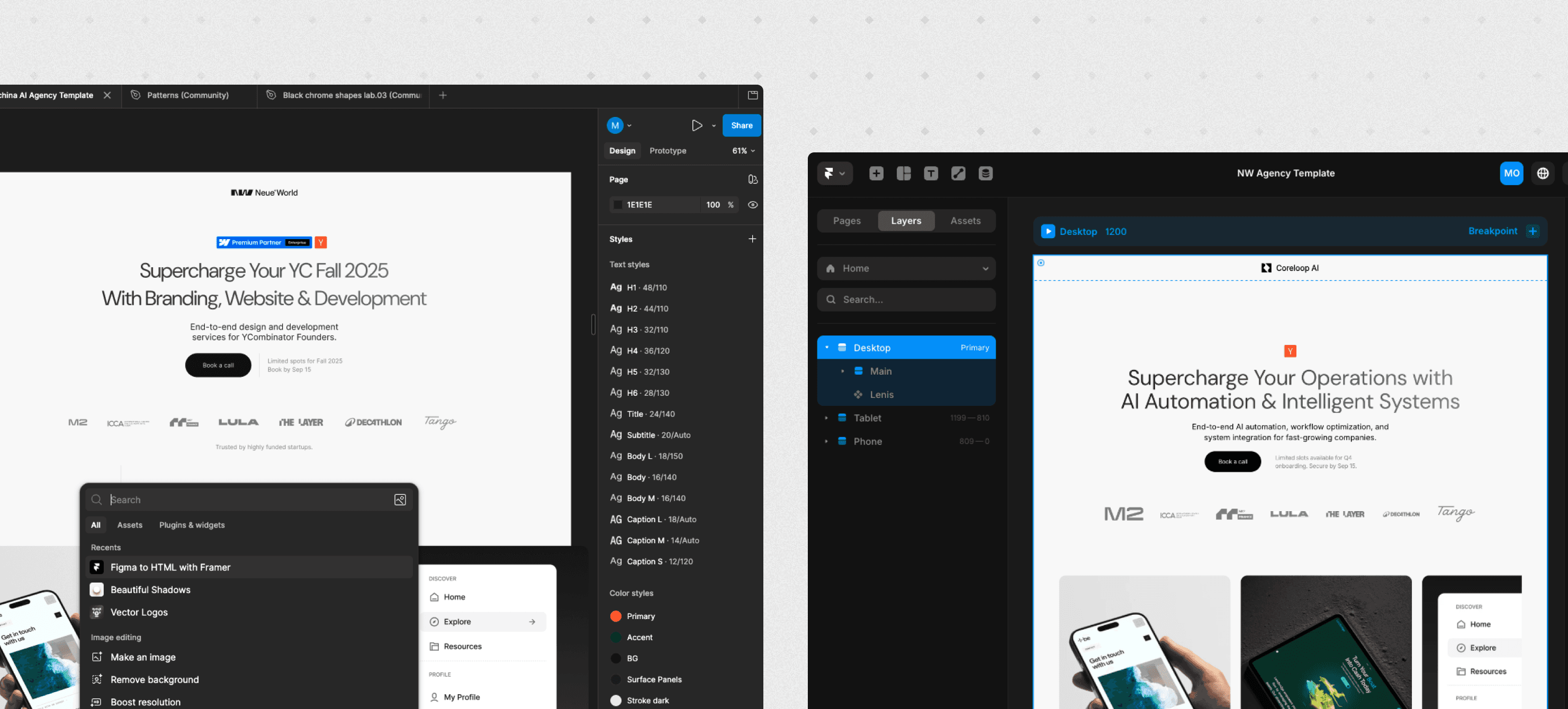
The Figma to Framer plugin lets you copy layers, components, and full frames directly from Figma and paste them into the Framer builder. This eliminates the traditional "designer hands off a static file, developer rebuilds it from scratch" tax that slows most web projects down.
What makes this matter at enterprise scale:
Design fidelity stays intact. Unlike traditional handoffs where interactions and animations get lost in translation, Framer sites let designers maintain high-fidelity interactions that stay true to the original Figma file.
The design system carries over. If your team already has a component library in Figma, that structure maps naturally to Framer's component system. You're not starting from zero.
Non-developers can iterate. Once the initial Figma-to-Framer setup is done, marketing and content teams can make changes directly in the Framer website builder without filing tickets with engineering.
What This Means for Enterprise Adoption
The Figma to Framer workflow is the reason Framer adoption in enterprise teams often starts with the design org, not the engineering org. If your team already lives in Figma, the transition to building and publishing in Framer is significantly smoother than switching to a traditional website builder that requires a separate development step.
That said, Figma and Framer serve different roles. Figma remains the better tool for early-stage exploration, complex prototyping, and cross-platform design work. Framer takes over when you need a design to become a live, published website. The strongest enterprise workflows use both: Figma for design, Framer for production.
Framer's Enterprise Stack in 2026: What's Real vs. Marketing
Let's separate what Framer actually delivers from what the marketing page implies.
What the Framer Website Builder Delivers Today
The enterprise offering is legitimate:
Infrastructure and security. Enterprise hosting on a global CDN with DDoS protection, SOC 2 Type 2, ISO 27001, and GDPR alignment certifications. The compliance paperwork is in order.
Collaboration. Real-time multi-editor support, commenting and handoff workflows, role-based access with SSO integration. You can slot Framer into enterprise identity management without friction.
Performance. Framer sites compile to static output served from edge locations with built-in image optimization. Most marketing sites get competitive Core Web Vitals scores without doing anything special.
Where It Still Lags Enterprise CMS Expectations
The CMS has hard constraints that matter at scale:
10 collections per project. That's the ceiling on standard plans, though Enterprise contracts can negotiate higher. Complex content relationships linking three or more content types deeply will push against it.
10,000 items per collection, 100,000 total on enterprise. No nested collection support or true relational database-style modeling. You can create reference fields between collections, but it's limited.
Minimal editorial workflows. No native approval flow, no multi-step publishing pipeline, and limited role distinctions between content contributors and administrators.
Smaller plugin ecosystem than Webflow or WordPress, and historically that meant more custom work. That gap is narrowing. Framer launched a Server API in February 2026 that lets you sync CMS collections with external sources, trigger publishes via webhooks, and run scheduled jobs from any server without opening Framer. It's in open beta, but for enterprise teams who need programmatic CMS control or external data sync, this changes the calculus compared to a year ago.
The Honest Summary
Framer is enterprise-ready for design-led marketing sites and branded communication experiences. It is not a replacement for Adobe Experience Manager, Sitecore, or heavily customized WordPress and Drupal installations.
Think of it this way: Framer is exceptional for the front stage of your brand, the surfaces your customers and prospects see and interact with. For the heavy back-office content workflows and data management, use specialized tools.
Framer Pricing: Is the Enterprise Investment Worth It?
Understanding Framer pricing is critical for budget approval. The platform simplified its pricing structure in early 2026, moving from five tiers down to three core plans plus enterprise.
Framer Sites Pricing Breakdown
Plan | Monthly Cost (Annual Billing) | Best For | Key Limits |
|---|---|---|---|
Free | $0 | Testing, non-commercial use | No custom domain, limited features |
Basic | $10/month | Personal sites, side projects | 1 CMS collection, limited bandwidth |
Pro | $30/month | Professionals, small teams | Multiple CMS collections, staging, priority support |
Scale | $100/month (annual only) | Growing companies, high-traffic Framer sites | Usage-based scaling, add-ons for CMS/bandwidth |
Enterprise | Custom pricing | Orgs needing SSO, SOC 2, or custom limits | Negotiable limits, dedicated support, SLAs |
What Enterprise Teams Actually Pay
For most enterprise use cases covered in this article, you're looking at either the Scale or Enterprise plan. Here's how to think about it:
Scale works for most marketing sites with moderate traffic and a small team of editors. Add-ons let you expand CMS collections (up to 40), bandwidth (up to 2 TB), and other limits as you grow.
Enterprise is necessary when you need SSO, SOC 2 compliance, custom contracts, fixed SLAs, or bulk pricing across multiple Framer sites. Worth noting: many mid-sized companies end up on Enterprise not because of scale, but because SSO is an Enterprise-only feature. If your IT team requires single sign-on, you're on Enterprise regardless of site size.
The real cost equation isn't just the plan fee. Factor in editor seats (billed per editor per month based on your highest-tier plan), any add-ons for localization or extra CMS capacity, and whether you're starting from a template or building custom.
Framer Pricing vs. the Alternatives
Compared to running a custom-built marketing site on a framework like Next.js (with hosting, CI/CD, and ongoing engineering costs), Framer's pricing is significantly lower for teams that don't need custom application logic. Compared to Webflow's Enterprise tier, the cost is roughly comparable, with the decision usually coming down to which builder fits your team's workflow better rather than raw price difference.
A system template from Omakase in the range of a few hundred dollars, paired with a Pro or Scale plan, gives you a production-ready enterprise marketing site for a fraction of what a custom agency build would cost.
The Performance Question: How Framer Handles Scale
"Will it be slow when we have 150 pages?" is one of the most common concerns I hear. The short answer: no, not if you build it right.
The Baseline Is Good
Framer compiles sites to optimized static output served from a global CDN. The front-end performance of a 200-page Framer site is functionally the same as a 20-page one, since each page is its own static asset. The architecture doesn't degrade linearly with page count.
Out of the box, you'll typically see strong Lighthouse scores and competitive Core Web Vitals. Image optimization is automatic, modern compression is applied, and the underlying React framework handles rendering efficiently.
Where Performance Breaks in Practice
The problems show up in three predictable ways:
Animation and interaction bloat. When every page has its own bespoke scroll animations, parallax effects, and custom transitions, you accumulate JavaScript and rendering overhead. One page with a creative animation is fine. Fifty pages each with their own unique motion system is not.
Large CMS collections slowing the editor. Thousands of items in a single collection can make the editing interface feel heavy. This doesn't affect visitors, but it affects your team's productivity.
One-off custom code scattered across pages. Every snippet of custom JavaScript or CSS injected per page creates unpredictable interactions and makes it harder to optimize the site as a whole.
Patterns That Keep Large Framer Sites Fast
The solution to all three problems is the same principle: build systems, not snowflakes.
Use a shared motion system with reusable animation components rather than custom animation on every page. A well-designed set of entrance animations, scroll-triggered reveals, and hover effects built as reusable components will cover 90% of your motion design needs while keeping the codebase lean.
Keep media optimized and lazy-load heavy sections. Don't load what visitors can't see.
Build on templates that have already been tested for performance at scale. This is where starting from a system template genuinely pays off: the performance optimization work has already been done across dozens of pages, not just the homepage. Omakase templates are built from real client projects where Core Web Vitals performance was a requirement, not an afterthought.
CMS and Content Architecture: Real Limits and Smart Workarounds
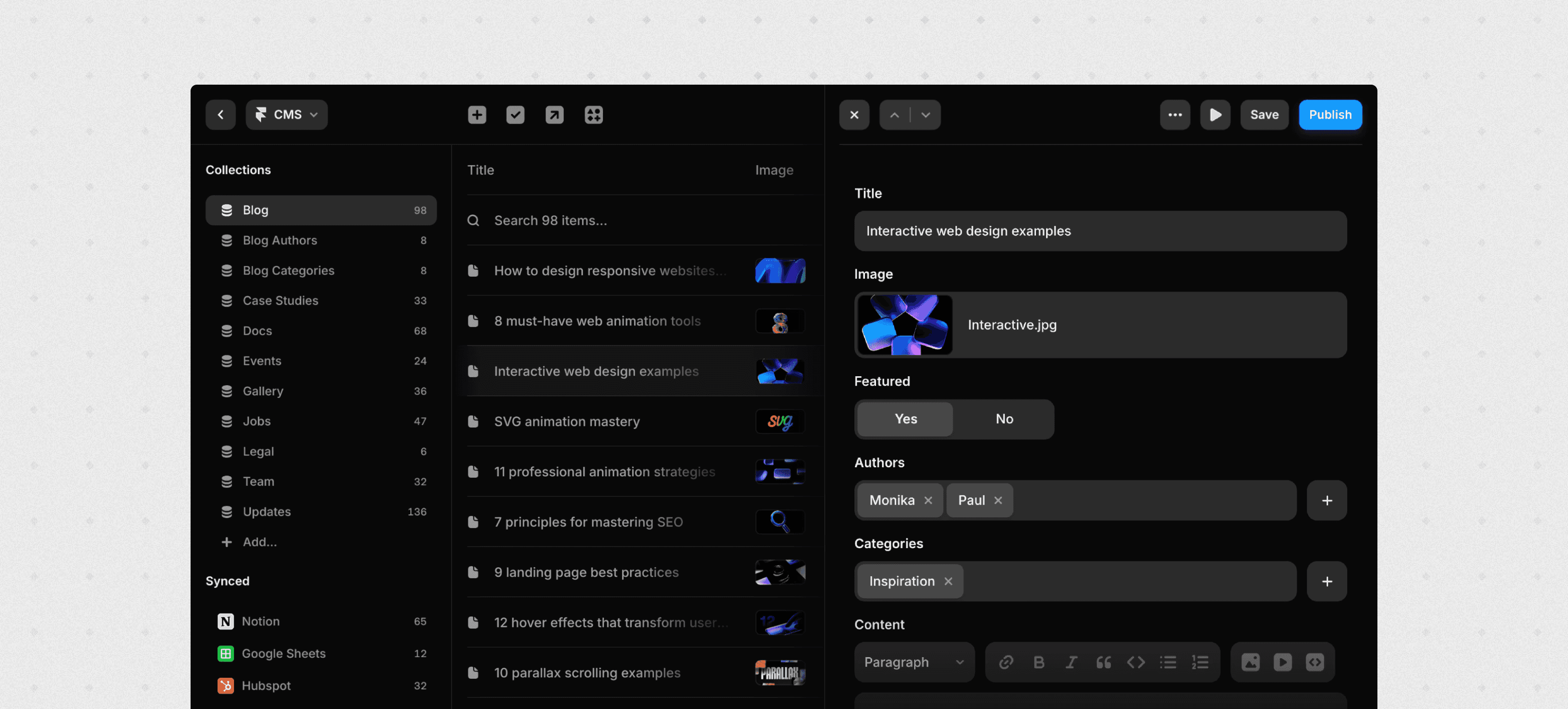
This is the section where the rubber meets the road for most teams evaluating Framer for larger sites.
Key Constraints to Know Up Front
10 collections per project is the hard limit on standard plans (negotiable on Enterprise contracts). Plan your content model carefully before you start building. If you burn through collections on narrowly defined content types, you'll run out of room.
10,000 items per collection, 100,000 total on enterprise. For most marketing sites, this is generous. For a publication running for years or an integrations directory with thousands of entries, it becomes a real constraint.
No true relational modeling the way you'd get with a headless CMS like Contentful or Sanity. You can create reference fields to link collections, but deeply nested content relationships across multiple collection types are limited.
Designing a CMS Architecture That Scales
The most important thing you can do is plan your collections before you build a single page.
A typical SaaS marketing site might need:
Products
Use Cases
Customer Stories
Blog Posts
Resources (whitepapers, guides, videos)
Team Members
Events or Integrations
That's seven or eight collections, fitting comfortably within the 10-collection limit.
The mistake I see repeatedly is creating separate collections for what should be filtered views of the same collection. Don't create separate collections for "Webinars," "Podcasts," and "Guides" when a single "Resources" collection with a type field accomplishes the same thing more efficiently.
Use tag and category fields within collections rather than creating taxonomic collections. Keep your content models as flat as possible. Framer's CMS rewards simplicity over cleverness.
When You Need a Headless CMS Alongside Framer
If your content operation involves more than about 5,000 articles, complex editorial workflows, multi-author permissions, or deep taxonomy management, a headless CMS feeding into Framer is the right architecture.
Your editorial team works in Contentful, Sanity, or Strapi with the workflow tools they need. Framer handles the front-end layout, branding, and rendering, pulling content via API. You get the editorial sophistication of a purpose-built CMS with the visual quality of Framer.
Templates vs. Custom Content Architecture
Here's an underappreciated advantage of starting from a well-built template: the content architecture has already been figured out.
A good system template comes with CMS collections and content models tested across real projects. The collection structure, field types, and relationships are set up to avoid hitting CMS walls accidentally. You're starting from a proven foundation rather than making architectural decisions blind.
If you'd rather not discover Framer's CMS constraints the hard way, starting from a production-ready system template like the ones at Omakase gives you sane defaults for SaaS and marketing site content models that you can customize without blowing up the underlying structure.
Team Collaboration and Governance at 100+ Pages
Building a large Framer site is one challenge. Keeping it clean and on-brand six months later, with multiple people contributing, is the harder one.
What Framer Gives You
Framer's collaboration features are solid for a design-led platform. Shared projects with real-time multi-editor support, comments and handoff workflows, and role-based access with SSO integration cover the building phase well.
The governance challenge comes after launch.
Governance Practices That Actually Work
Since Framer doesn't have built-in multi-step approval workflows, you need to create governance through process and structure rather than platform features.
Define three clear roles:
System Owner / Design Ops Lead. Maintains the component library, design system, and naming conventions. (In larger organizations, this role is often called a Design Ops Lead.) This is the person who says "no" when someone tries to create a one-off section that already exists as a component.
Page Builders. Marketing and content team members who assemble pages using approved components and templates.
Reviewers. Brand leads who check staging before anything goes live.
Use staging environments and manual review checkpoints. Lock or limit overrides on critical components: headers, footers, navigation, and core brand elements should be centrally controlled.
Preventing "Framer Sprawl"
The most common failure mode for large Framer sites isn't a technical limitation. It's organizational entropy. Dozens of slightly off-brand landing pages accumulate. Sections get duplicated instead of reused. The design system erodes into a collection of one-offs that nobody maintains.
The preventive measures: maintain a central component library with clear versioning, enforce naming conventions, and provide predefined page templates for every common page type.
This is where system templates earn their keep. When a team starts from a template that ships with a component library, page templates, and naming conventions already in place, they have a governed starting point rather than a blank canvas. Omakase templates are specifically designed around this principle: they're systems, not just pretty homepage mockups.
Architecture Patterns: When to Go All-In vs. Hybrid
Not every "enterprise Framer site" looks the same architecturally. Here are four patterns I see working in production.
To understand where Framer sits in the enterprise stack, here's the typical flow:
Figma (Design & Prototyping) → Framer (Website Builder & Publishing) → CDN (Global Delivery) → End User
For content-heavy setups: Headless CMS (Content & Workflows) → Framer (Front-end & Branding) → CDN → End User
For SaaS products: Framer (Marketing Site) + Next.js/Remix (App) → shared navigation → End User
Pattern 1: Framer as the Primary Platform
Framer handles everything: built-in CMS, hosting, and component system. Works best for SaaS marketing sites in the 50- to 200-page range. You get fast iteration speed, visual quality, and minimal infrastructure complexity.
This pattern benefits most directly from a strong starting template that provides your component library, page structures, and CMS model out of the box.
Pattern 2: Framer Plus Headless CMS
When your content operation outgrows Framer's native CMS, you add a headless CMS as the content backend. Framer remains the front-end for layout, design, and branding. The headless CMS (Contentful, Sanity, Storyblok) manages content creation, editorial workflows, and publishing logic.
The trade-off is real: you're adding engineering complexity. But for organizations publishing at high volume with multi-step editorial processes, this keeps both the content operation and the website quality at a high standard.
Pattern 3: Framer Plus App Stack
For SaaS companies, Framer powers the marketing site (homepage, pricing, product pages, blog, docs landing pages) while a framework like Next.js or Remix handles the logged-in application experience. Shared navigation and consistent branding create the illusion of a single product.
This is arguably the most natural enterprise pattern for SaaS companies. Marketing moves at marketing speed in Framer. Engineering moves at engineering speed in their framework. Nobody blocks each other.
Pattern 4: Multi-Site Framer with Shared Components
For multi-brand groups or organizations with regional sites and campaign hubs, multiple Framer projects share a common component library or pattern system. Each site gets autonomy while maintaining family consistency.
An "enterprise SaaS system" template pack can serve as the shared foundation across multiple projects, giving each site the same structural quality without building from scratch.
When NOT to Use Framer for Enterprise
Trust is built on honesty, and there are use cases where Framer is the wrong choice.
Hard "No" Scenarios
Complex e-commerce with inventory management, shopping carts, and checkout flows. Framer has no native e-commerce engine, and purpose-built platforms like Shopify handle this natively.
Heavy transactional systems. Dashboards, CRM interfaces, back-office tools. These need real application frameworks.
Very large editorial operations requiring advanced workflows, content versioning, multi-stage approval chains, and fine-grained role permissions. While Framer Pro is excellent for freelancers and small teams, it lacks the governance tooling that a content team of 10+ editors publishing daily across multiple content types requires.
Massive content archives with 10,000+ posts, deep taxonomy, and complex filtering needs.
Borderline Scenarios with Workarounds
Large blogs and resource libraries (1,000 to 5,000 items). Use a headless CMS for content management with Framer as the front-end.
Multi-language sites with complex translation workflows. Pair Framer with external localization tools.
Integration-heavy projects. Webflow's larger integration ecosystem or a fully custom stack may be simpler. Framer can integrate with anything via APIs, but "can" and "should" are different conversations.
A Simple Decision Rule
If the primary job of the website is communicating and convincing (marketing, brand storytelling, product education, recruiting), Framer is a strong choice.
If the primary job is processing and managing (transactions, data operations, complex editorial pipelines), use something else, or use Framer only for the communication layer alongside a more capable backend.
Platform Compatibility: Windows, Flutter, and Dark Mode in the Framer Builder
Before committing to Framer for an enterprise project, teams often have practical questions about platform compatibility that are surprisingly hard to find clear answers to.
Using Framer for Windows and Linux
Framer is a fully browser-based web application. There is no desktop client to install. Whether your team runs Windows, macOS, Linux, or ChromeOS, the experience in the Framer builder is identical. This is a real advantage for enterprise teams with miFWexed operating systems, since there's nothing to install, no OS-specific bugs to deal with, and IT doesn't need to manage a separate application deployment.
Framer and Flutter: Clearing Up the Confusion
A common search is "Framer Flutter," and it's worth addressing directly: Framer and Flutter are completely different tools for different purposes. Framer is a website builder that outputs HTML, CSS, and JavaScript for the web. Flutter is Google's framework for building native mobile and desktop applications. Framer does not export Flutter code, and Flutter does not replace what Framer does. If your project needs both a marketing website and a native mobile app, use Framer for the website and Flutter (or React Native) for the app. They don't overlap.
Dark Mode in Framer Sites
Implementing dark mode in Framer is now a native capability. You can define Color Styles that automatically switch based on the user's system preferences, covering both light and dark appearances. For enterprise sites where brand guidelines require dark mode support (increasingly common in 2026), this is handled through Framer's built-in design token system rather than requiring custom code.
The Template vs. Custom Build Decision for Enterprise
Most enterprise Framer projects should start from a system template, not a blank canvas. The Framer community doesn't talk about this enough.
Why Templates Are the Pragmatic Enterprise Choice
Speed. A custom Framer build for a 100+ page site takes months. Starting from a system template takes weeks.
Risk reduction. A well-built template encodes decisions tested across dozens of projects: CMS structure, component architecture, responsive behavior, performance optimization, accessibility patterns. A custom build rediscovers all of these through trial and error.
Cost. A system template costs a few hundred dollars. A custom build costs tens of thousands.
Knowledge transfer. When your template comes from someone who's shipped production Framer sites at scale, you're inheriting their experience. The collection structure is designed around patterns that work. The component library is built for the kinds of pages real marketing teams actually need.
What "Enterprise-Grade" Templates Should Include
Not all templates are system templates. A pretty homepage mockup is not what we're talking about. An enterprise-grade Framer template should include:
A component library with clear naming conventions and locked critical components
Multiple page templates covering common types: home, product, use case, pricing, blog post, case study, landing page
Preconfigured CMS collections aligned with common SaaS and enterprise content structures
SEO and performance optimization baked into the foundation: proper heading hierarchy, optimized image handling, internal linking patterns
Where Omakase Fits
Omakase templates are built by an agency that has shipped production Framer sites across a range of client sizes and industries. They're designed as systems: component libraries, content models, and page templates that let teams scale past 50 pages without structural breakdown.
If you're considering Framer for a bigger site, starting from a system template is the safest way to validate the platform without betting your entire web presence on a from-scratch build. Explore Omakase'sFramer templates and components as production-ready starting points for serious projects.
SEO and AI Visibility for Large Framer Sites
Search in 2026 is a two-front game: traditional search engine rankings and AI-generated answers. Your Framer site needs to perform on both.
Traditional SEO in Framer
Framer covers the fundamentals well: custom meta titles and descriptions, Open Graph tags, structured heading hierarchy, auto-generated sitemaps, robots.txt configuration, and clean semantic markup are all supported natively. The technical SEO walkthrough covers the eleven setup steps Framer doesn't automate for you.
Where performance and SEO intersect: Core Web Vitals are a ranking factor, and Framer's defaults are strong. But those defaults can be undermined by heavy custom animations, excessive third-party scripts, and poor image management.
AI and Answer Engine Visibility
LLMs and AI search agents prioritize clear structure, consistent language patterns, and dense topical coverage. A beautifully designed but structurally chaotic site will underperform in AI-generated answers compared to a well-organized site with clear content clusters.
Content architecture matters most here:
Organize pages around topic clusters (Product to Use Cases to Industries to Integrations)
Use FAQ sections on key pages
Write clear, descriptive headings
Create consistent page structures so AI agents can reliably parse your content
On the production side, Workshop and the Framer MCP plugin cover the two AI workflows enterprise teams actually use: in-editor component generation and bulk CMS / SEO audits across hundreds of pages."
How Templates Help with Search Visibility
System templates make it easier to maintain the consistency that both search engines and AI agents reward. When every product page follows the same structural pattern and every blog post uses the same heading hierarchy, you're building predictable, parseable site structure that performs well across both traditional and AI search.
Real Examples of Framer at Scale
Design Publications on Framer CMS
One well-documented case is a design magazine that rebuilt entirely on Framer CMS using reusable slide-based components and a flexible content structure. The key insight: they designed the CMS model and component system before building any pages. That upfront architecture work is what made the content hub manageable at scale.
Fortune 500 Marketing Surfaces
Framer's enterprise page showcases logos from Fortune 500 companies and high-growth startups. The pattern is consistent: these organizations use Framer for specific marketing surfaces and brand experiences, not as a replacement for their entire digital infrastructure.
When a major enterprise "uses Framer," they're typically using it for their marketing site, campaign microsites, or internal communication portals. The product application, e-commerce platform, and content management backbone run on other systems.
The Pattern Across Successful Large Framer Sites
Every successful large-scale Framer implementation shares three characteristics:
They invested in the component system and content architecture before building pages
They treated Framer as a design and publishing layer rather than trying to make it do everything
They had clear governance around who could modify what
Framer vs. Webflow: The Migration Decision
If you're weighing a move from Webflow to Framer (or the other direction), the decision usually comes down to how your team works rather than which platform is objectively "better."
Framer vs. Webflow Decision Matrix
Factor | Framer | Webflow |
|---|---|---|
Primary strength | Design-led, visual-first building | Content infrastructure, database-first |
Cell 2-1 | Design-heavy, Figma-native | Developer-leaning, CSS-comfortable |
CMS maturity | Simpler, 10 collections (negotiable on Enterprise) | More mature, deeper relational modeling |
Design fidelity | Exceptional, direct Figma pipeline | Good, but more manual CSS control |
Integration ecosystem | Smaller, but Server API (Feb 2026) now enables programmatic CMS sync and webhook-triggered publishing | Larger, more plug-and-play options |
E-commerce | None native | Built-in, capable |
Best for enterprise | Marketing sites, brand experiences, campaign hubs | Content-heavy sites, complex CMS, e-commerce |
Launch speed | Faster for marketing-focused projects | Faster for content-heavy structured sites |
When to Choose Framer Over Webflow
If your team spends more time in Figma than in code editors, Framer is the natural fit. The Figma-to-Framer pipeline, the visual-first builder, and the design fidelity make it the stronger choice for teams where design quality and iteration speed are the top priorities. Framer sites also tend to launch faster for marketing-focused projects because the builder is optimized for that use case.
When to Stay with (or Move to) Webflow
Webflow is a database-first tool. If your project is content-heavy with complex CMS relationships, deep filtering, and a large integration ecosystem, Webflow's more mature content infrastructure is a genuine advantage. Teams that need fine-grained control over HTML structure and CSS, or those running large e-commerce operations, will also find Webflow more capable.
The Migration Reality
Moving from Framer to Webflow (or vice versa) is not a simple export/import. Both platforms have proprietary structures, and a migration is effectively a rebuild. Before committing to either platform for an enterprise site, prototype a representative section (not just the homepage) to validate the workflow, CMS structure, and team adoption. Starting from a system template makes this validation faster and cheaper: you can test the platform's real-world fit in days rather than weeks.
2026 Outlook: Where Framer's Enterprise Story Is Headed
Framer is investing heavily in enterprise features: security certifications, collaboration tools, CMS improvements, and team management capabilities. Each update cycle expands what's feasible for larger organizations.
The gaps remain clear. Deep editorial workflows, very large content operations, and a plug-and-play integration ecosystem comparable to established platforms are still areas where Framer trails.
The likely market split: Framer dominates design-led, fast-moving marketing and brand experiences. Webflow and similar platforms hold the middle ground for complex content sites. Traditional enterprise CMS platforms and custom stacks remain necessary for the most complex content operations.
The smart strategy for 2026 isn't "Framer or nothing." It's using Framer where it's strongest, complementing it with other tools where needed, and building on systems and templates to reduce risk.
Conclusion
Framer can power "big" and enterprise-scale websites in 2026. But that statement comes with conditions. It works when you:
Pick the right archetype and match your architecture to your actual needs
Respect the CMS constraints and design your content model up front
Treat the platform as a system (components, templates, governance) rather than a playground for one-off design experiments
It doesn't work as a one-size-fits-all replacement for enterprise CMS platforms or application frameworks.
If you're evaluating Framer for a serious, sizeable website, the safest path forward is starting from a system template designed for scale. You validate the platform's fit without the risk and time investment of a from-scratch custom build.
Explore Omakase's Framer templates and components as production-ready starting points for your next project. They're built from real client work, designed as systems, and ready to scale.
Frequently Asked Questions
Is Framer suitable for enterprise websites?
Yes, for design-led marketing sites, brand experiences, and internal portals. Framer offers SOC 2 Type 2 certification, SSO, enterprise hosting, and real-time collaboration. It's not suited as a replacement for complex editorial CMS platforms or transactional application frameworks.
What are Framer's CMS limits for large sites?
CMS limits depend on your plan. Basic includes 1 collection and 1,000 items. Pro includes 10 collections and 2,500 items. Scale starts at 20 collections and 10,000 items, expandable with add-ons. Enterprise gets custom limits. There's no nested collection support or deep relational modeling on any plan. Content operations exceeding 5,000 articles should integrate a headless CMS with Framer as the front-end.
Can Framer handle 100+ or 1,000+ pages?
Yes. 100+ pages works well with a proper component system and planned CMS architecture. Sites approaching 500 to 1,000+ pages are feasible but benefit from a headless CMS for content management. Front-end performance doesn't degrade with page count since pages are served as static assets from a CDN.
How does Framer compare to Webflow for big websites?
Framer offers superior design flexibility and faster iteration for visually ambitious sites. Webflow has a more mature CMS, deeper content modeling, and a larger integration ecosystem. For design-led marketing sites under 200 pages, Framer often wins. For content-heavy sites with complex editorial needs, Webflow is typically stronger.
Should I use templates or a custom build for an enterprise Framer project?
Start from a system template for most enterprise projects. Templates encode battle-tested CMS structures, component libraries, and performance optimization that custom builds rediscover through expensive trial and error. Reserve fully custom builds for requirements no existing template can accommodate.
How much does Framer cost for enterprise use?
Framer pricing ranges from free for non-commercial use to $100/month for the Scale plan (annual billing). Enterprise plans have custom pricing with dedicated support, negotiable limits, and SLAs. Note that SSO is an Enterprise-only feature, so many mid-sized teams end up on Enterprise for compliance reasons rather than scale alone.
Can I use Framer on Windows?
Yes. Framer is a fully browser-based web application with no desktop client to install. The experience is identical on Windows, macOS, Linux, and ChromeOS. There are no OS-specific limitations.
Does Framer export Flutter code?
No. Framer is a website builder that outputs HTML, CSS, and JavaScript. Flutter is a separate framework for native mobile and desktop apps. They serve different purposes and don't overlap. Use Framer for your marketing site and Flutter for your mobile app.
How many pages can a single Framer project support?
Framer doesn't impose a hard page limit. Projects with 200+ pages work well when built on component systems with planned content architecture. The practical ceiling depends on content organization and team governance more than raw page count.
Does Framer support multi-language websites?
Yes. Framer has a native Localization feature for serving content in multiple languages. The enterprise bottleneck is not the technical ability to display different locales, but two things: workflow and cost. Framer lacks built-in translation approval chains and multi-step editorial review per locale. And each locale is a paid add-on on top of your base plan, so a five-language site costs significantly more than the base plan price suggests. Teams with complex localization needs should pair Framer with dedicated localization platforms and budget accordingly.
Can I use Framer alongside a headless CMS?
Yes. For content operations exceeding Framer's native CMS limits, pairing a headless CMS like Contentful or Sanity with Framer as the front-end rendering layer is a proven pattern. The headless CMS handles editorial workflows; Framer handles design and publishing.
How do I migrate from Webflow to Framer?
There is no direct export/import path between the two platforms. A migration from Webflow to Framer (or the reverse) is effectively a rebuild. Start by prototyping a representative section in Framer using a system template to validate the workflow before committing to a full migration.
Does Framer support dark mode?
Yes. Framer has native dark mode support through its Color Styles system. You can define light and dark color schemes that automatically switch based on the user's system preferences, without requiring custom code.