


A practitioner posted in r/TechSEO in December 2025 with the sentence that haunts every Framer agency owner who has lost a project to "isn't Framer bad for SEO?" The thread title: "Framer is an SEO nightmare." The top comment: "They essentially create SPAs like Gmail or Netflix uses. There is only an empty div in the body section of the code." Framer's marketing line says the platform ships SEO-ready out of the box, and Luca from the Framer team confirmed in r/framer in August 2025 that JSON-LD has been supported via Custom Code for years.
I run Omakase, a Framer template and component studio, and I work on enough client builds to tell you both sides are half right and half a beat behind what Framer actually shipped in 2024 and 2025. This is the technical-base run-through I do on every Framer client site before handoff. What Framer gets right by default. The eleven things you still set yourself. The limitations no other Framer SEO article will name. The validation toolkit I keep in the bookmark bar. Our 2026 Framer SEO survey is the high-altitude version; this is the layer underneath, with the panel paths, token syntax, and AI-crawler directives the survey did not have room for.
Key Takeaways
Framer ships eight technical-SEO defaults correctly: HTTPS with HSTS at a one-year max-age, edge-cached SSG with TTFB typically under 200ms, HTTP/2 and HTTP/3 with
alt-svc: h3, auto sitemap and robots.txt, mobile-first responsive, auto canonicals, lazy-loading with CDN srcset and WebP, and autoOrganization,WebSite, andBlogPostingschemas.The per-page SEO panel has ceilings the UI does not enforce: meta titles at 60 characters or fewer, meta descriptions at 160 or fewer, OG images at 1200 by 630. Framer does not ship
og:image:widthorog:image:heightautomatically.Framer interpolates CMS fields into Custom Code JSON-LD using
{{Field_Name | json}}tokens. Underscores replace spaces from the CMS field name; the| jsonfilter escapes the value for valid JSON-LD output (Framer's docs warn the schema "quietly breaks" if you skip the filter and the value contains quotes, line breaks, or symbols). Two built-in CMS-item variables ship without configuration:{{Created | json}}and{{Updated | json}}.Five CMS field types interpolate: strings, enums, images, dates, and references. Five do not: numbers, links, booleans, formattedText, and arrays. The workaround for non-string fields is a string-mirror CMS field that holds a string version of the source-of-truth value.
Framer's image alt text is per-asset, set at upload time, and not bindable to a CMS field. Per-template or per-article unique alt requires re-uploading the asset with the alt typed in.
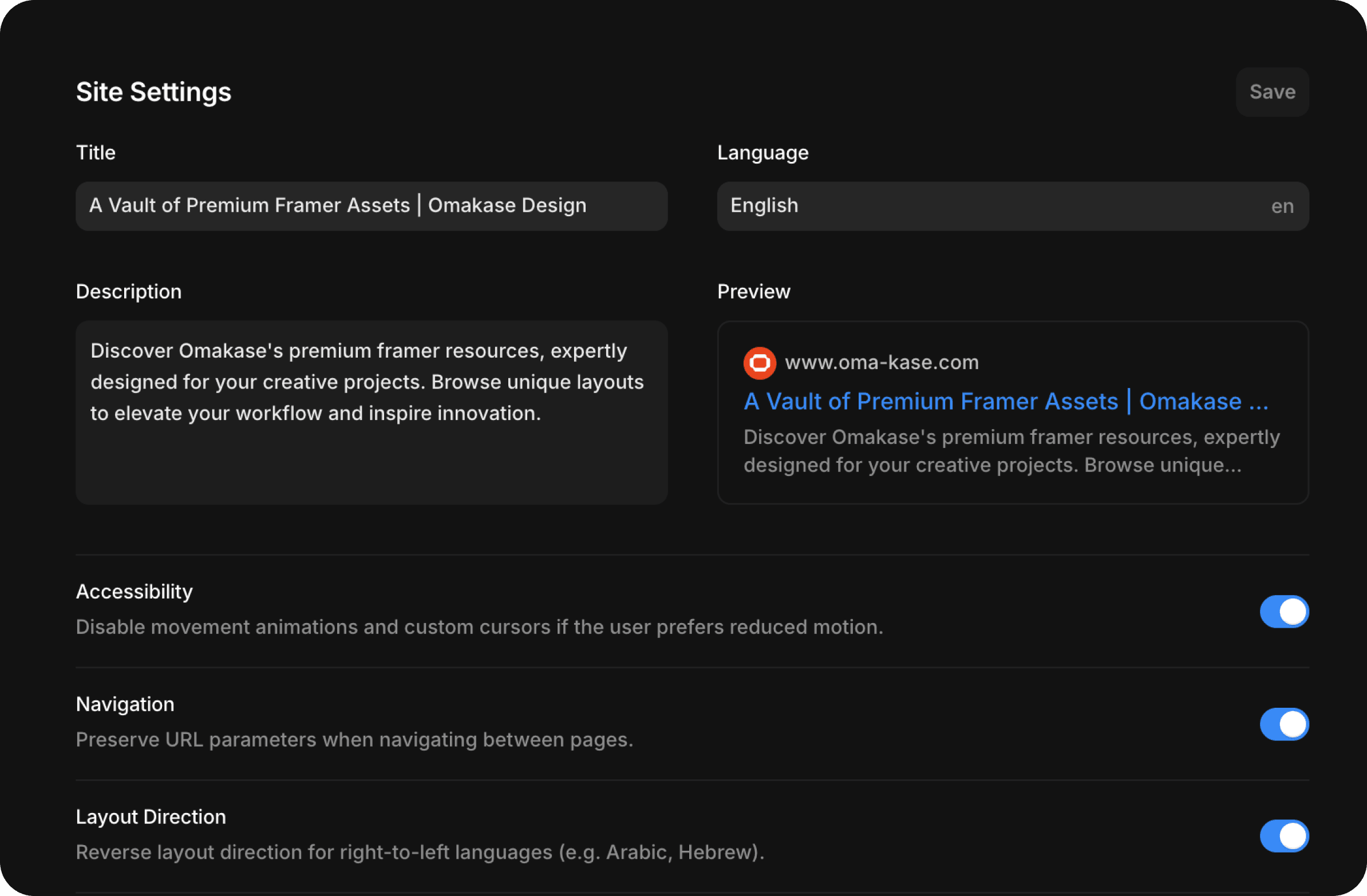
Framer's robots.txt is editable in Site Settings. Add explicit AI-crawler rules for
GPTBot,ClaudeBot,PerplexityBot,Google-Extended,Applebot-Extended, andCCBot. Pages set to "Indexing: No" auto-drop from the sitemap.Robots.txt is editable: as of 2026 you upload your own
robots.txtthrough the Files tab under your domain, and it overrides Framer's auto-generated default. Here is the full walkthrough. Set explicit AI-crawler directives for the six crawlers worth naming in 2026:FAQPageschema has been restricted to government and healthcare sites for SERP rich results since August 2023. Still useful for AEO context, will not produce a SERP rich result on agency or SaaS sites.AggregateRatingonOrganizationwith thin or unverifiable review counts and noReviewchildren is a known manual-action risk under Google's spam policies.
What Framer ships correctly by default
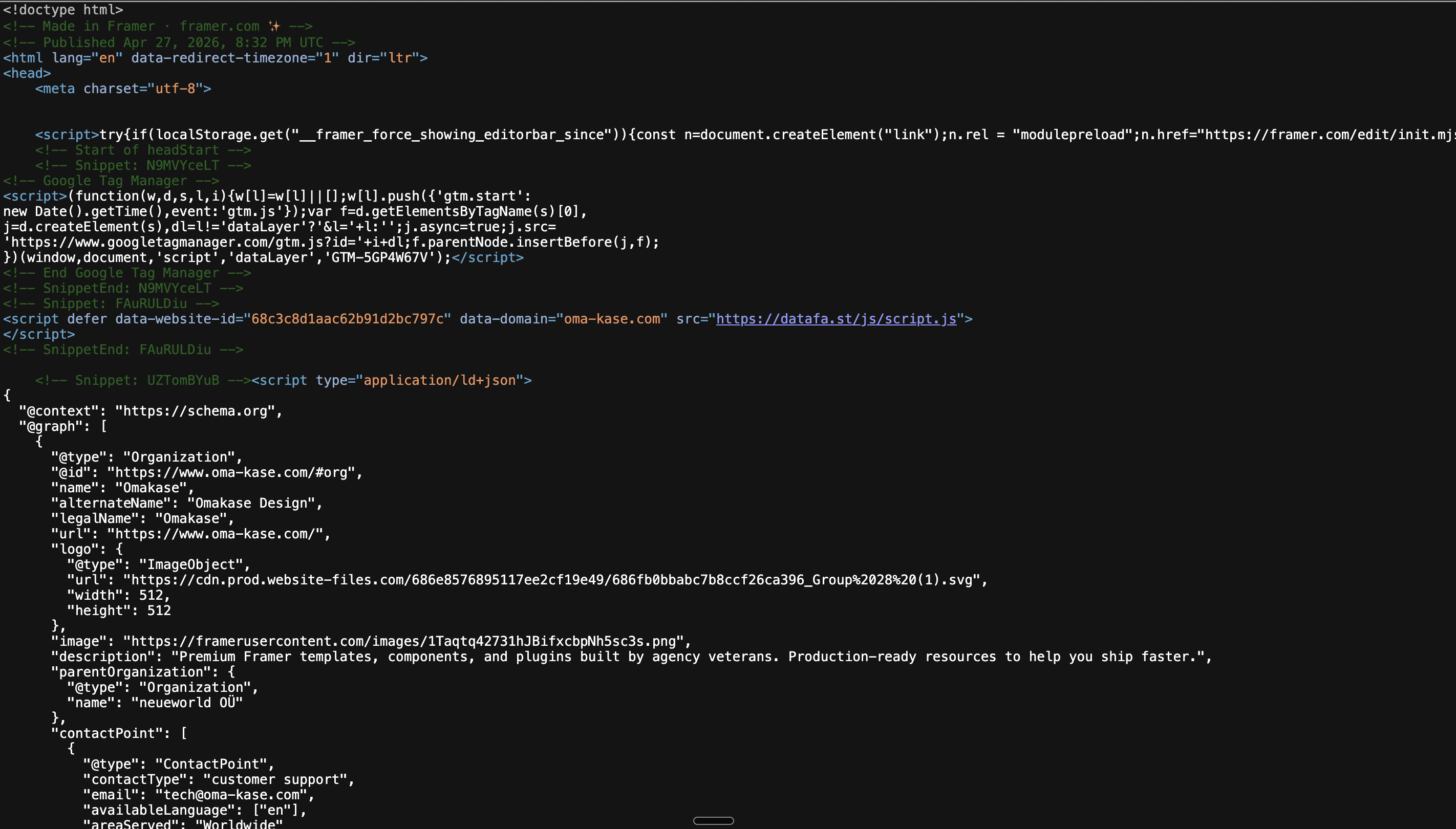
The "Framer is an SPA with an empty div" critique is the experience of someone who looked at Framer in 2022 or 2023 and never re-tested. View Source on a current Framer page returns real, server-rendered HTML: headings, navigation, product names, FAQ paragraphs. I tested oma-kase.com while writing this and the static HTML carries the entire above-the-fold content before any JavaScript runs. The "empty div" critique is partially obsolete on current builds.
Eight defaults are already set on every Framer site. None require a setting flip.
HTTPS with HSTS at a one-year max-age. Every Framer site ships with TLS, an
https://canonical, and a Strict-Transport-Security header at roughly 31,536,000 seconds. That is one year, which is the threshold most security audits ask for.Edge-cached SSG via Framer's CDN. Static pages are served from edge nodes. TTFB on a typical Framer page sits under 200 milliseconds in most regions, well under Google's 800-millisecond threshold for "good."
HTTP/2 and HTTP/3. Response headers carry
alt-svc: h3advertising HTTP/3 over QUIC. Browsers that support it connect over HTTP/3 on subsequent visits.Auto sitemap.xml and robots.txt. Framer publishes both at the domain root. The sitemap regenerates on publish; the robots.txt is editable from Site Settings.
Mobile-first responsive across desktop, tablet, and phone breakpoints. Pages render with the right breakpoint meta and the right responsive HTML. There is a duplicate-H2 gotcha across Layout Variants that I cover later.
Auto canonical URLs. Framer writes the canonical tag on every page based on the URL path. Don't fight them; use the indexing toggle for variant control.
Lazy-loading by default, with CDN srcset and WebP serving. Below-the-fold images get
loading="lazy". Above-the-fold images get eager loading. The CDN handles WebP and responsive srcset automatically.Auto
Organization,WebSite, andBlogPostingschemas. Framer injectsOrganizationandWebSiteJSON-LD on every site, plusBlogPostingon CMS-driven blog detail pages. The auto-BlogPostingis buggy (limitations section); I always override it.
The Reddit critique is half right because not every Framer site lives on a current build. The vendor line is half right because defaults are a starting line. The work is in the eleven things below.
Per-page SEO setup, the day-zero workflow
Every page in a Framer project has a Page Settings panel with an SEO section. Three fields, one toggle, and the OG image. Five minutes per page. Skipping this is the single most common reason a site that "did all the SEO" still does not rank.
Open Page Settings → SEO. Set:
Meta title at 60 characters or fewer. Google truncates around 600 pixels, roughly 60 characters. Longer titles render with an ellipsis.
Meta description at 160 characters or fewer. Google truncates around 158 to 160. The description does not affect rank directly but owns click-through rate.
OG image at 1200 by 630 pixels. Framer does not ship
og:image:widthandog:image:heightautomatically. Set them manually via Custom Code or accept that some clients (Slack, LinkedIn, X) render the preview a beat slower while they probe dimensions. For client work I add the explicit dimensions to the page's<head>Custom Code.Indexing toggle. Yes for production, No for staging, drafts, internal-only pages, thank-you pages, form-receipt pages. "Indexing: No" gets a
noindexmeta and auto-drops from the sitemap.
Heading hierarchy is set in the Layout panel's Tag dropdown, not by visual style. One <h1> per page. A structured <h2>/<h3> ladder for major sections and subsections. The recurring failure I find on client audits more than any other is a hero text element styled at 96px bold but tagged <p>. Google parses it as a paragraph. The fix is one dropdown.
One Framer-specific quirk. Each section can have desktop, tablet, and phone variants. Drop a heading three times (once per variant) without using a Layout Variant and the rendered DOM ships three copies of the same heading. Three duplicate H2s. Use one section per heading and toggle a Layout Variant for breakpoint-specific styling.
JSON-LD with CMS interpolation, the deepest section
Framer supports JSON-LD in two places: Site Settings → Custom Code → End of <head> for site-wide schema, and Page Settings → Custom Code → End of <head> for per-page schema. Both accept a <script type="application/ld+json"> block.
The interpolation mechanic is what separates a working schema from a placeholder one. Framer reads CMS fields into Custom Code using a token syntax documented at framer.com/help. The token is {{Field_Name | json}}. Underscores replace spaces from the CMS field name (a field called Hero Title reads as {{Hero_Title | json}}), and the | json filter escapes the value for valid JSON-LD output. Framer's docs warn directly: skip the filter and the schema "quietly breaks" the moment your title or description contains quotes, line breaks, or symbols. This is the single most common reason a perfectly-formed JSON-LD block ships with empty or malformed values.
Two filter options are documented:
| jsonis the default safe option. It escapes the content so the variable lands as a valid JSON string. Use it on every variable unless you have a specific reason to override.| unsafeRawoutputs the stored content without modification. Useful when the CMS field already holds valid JSON-LD or pre-escaped HTML and you do not want Framer re-escaping it. Framer's own warning: it does not escape, so invalid HTML or malformed JSON in the source breaks the page. Hard rule I follow: never apply| unsafeRawto user-supplied or untrusted content. Escaping is what stops injection; bypassing it on a CMS field an outside contributor can edit is a vulnerability.
Built-in CMS-item variables ship without any CMS configuration:
{{Created | json}}, the publication timestamp{{Updated | json}}, the last-edited timestamp
Other system tokens (a slug variable for URL strings, for example) appear in third-party tutorials and on some live builds, but Framer's official docs only confirm these two. If a tutorial leans on a system token outside Created and Updated, verify on your own build before shipping schema that depends on it.
Reference fields are the honest hedge here. Same-collection field interpolation is documented as {{Field_Name | json}}. Cross-collection traversal (a Reference field on the current collection that points to a record in another collection) is not explicitly covered in Framer's docs. On builds I have seen recently, dot notation appears to interpolate ({{Author.Name | json}} reading into a referenced Authors record's Name field), but the official article does not confirm the pattern. The safe path I default to is the string-mirror workaround (covered next): add a Plain Text field on the source collection that captures the referenced value at write time, and read JSON-LD from the mirror. If you want dot notation, verify in View Source before committing the schema and keep the mirror as a fallback.
Use @graph and @id to link multiple schema types. The pattern below is what I deploy on an agency or SaaS landing page (not a blog post). It tells Google the page is published by an Organization, the Organization offers a Service, the URL is a WebPage inside a WebSite, and a BreadcrumbList carries navigation context. Everything connects via @id.
The schema patterns I reach for, by page type:
Sellable items.
Productwithoffers. For a template or component priced at a specific dollar amount.Articles.
BlogPosting. Override Framer's auto-version because the auto-version has bugs (see limitations section).Breadcrumbs.
BreadcrumbListeverywhere. Cheap to add, easy to validate.Q&A blocks.
FAQPagefor AEO context only. It will not produce a SERP rich result on most sites since Google's August 8, 2023 announcement restricting FAQ rich results to government and healthcare. It is still parsed by AI engines, which is the reason to ship it.
Validate every block in Google's Rich Results Test and the Schema.org Validator before publish. The Rich Results Test tells you which fields Google will surface. The Schema.org Validator tells you whether the graph is valid. Both. Not one.
CMS field types that interpolate (and the five that do not)
This is the gotcha nobody else writes about, because it bites you only when you ship JSON-LD across a CMS-driven page. Framer's Custom Code interpolation does not handle every CMS field type the same way.
What works:
Strings. Plain text. Read directly with
{{Field_Name | json}}.Enums. Option lists. Read as the selected option's text.
Images. Read as the asset URL via
{{Cover_Image | json}}or similar.Dates. Read as ISO 8601.
References. Read into the linked record's fields. Same-collection field interpolation is documented as
{{Field_Name | json}}. Cross-collection reference traversal is not explicitly documented; dot notation appears to work on some builds, the string-mirror workaround below is the safe default.Built-in variables.
{{Created | json}}and{{Updated | json}}.
What does not work:
Numbers. Render empty.
Links. Render empty.
Booleans. Render empty.
FormattedText (rich text). Renders empty.
Arrays. Render empty.
This is the single biggest reason a Product schema's price, priceCurrency, or inStock ships blank when the CMS clearly has the data. The CMS has a Number field; the schema needs a string.
The workaround: a string-mirror field. If your source-of-truth is Numeric Price (a Number field, exists for sorting and filtering), add Price String (a Plain Text field) that holds the digits as a string. The editor types the value into both, or the team uses a Framer plugin or Make.com automation to sync. JSON-LD reads from Price String. Repeat for any boolean, link, formatted-text, or array value the schema needs.
For sites with heavy numeric data (e-commerce catalogs, pricing pages, comparison tables), this can mean five or six string-mirror fields per record. It is ugly. It is the only thing that works.
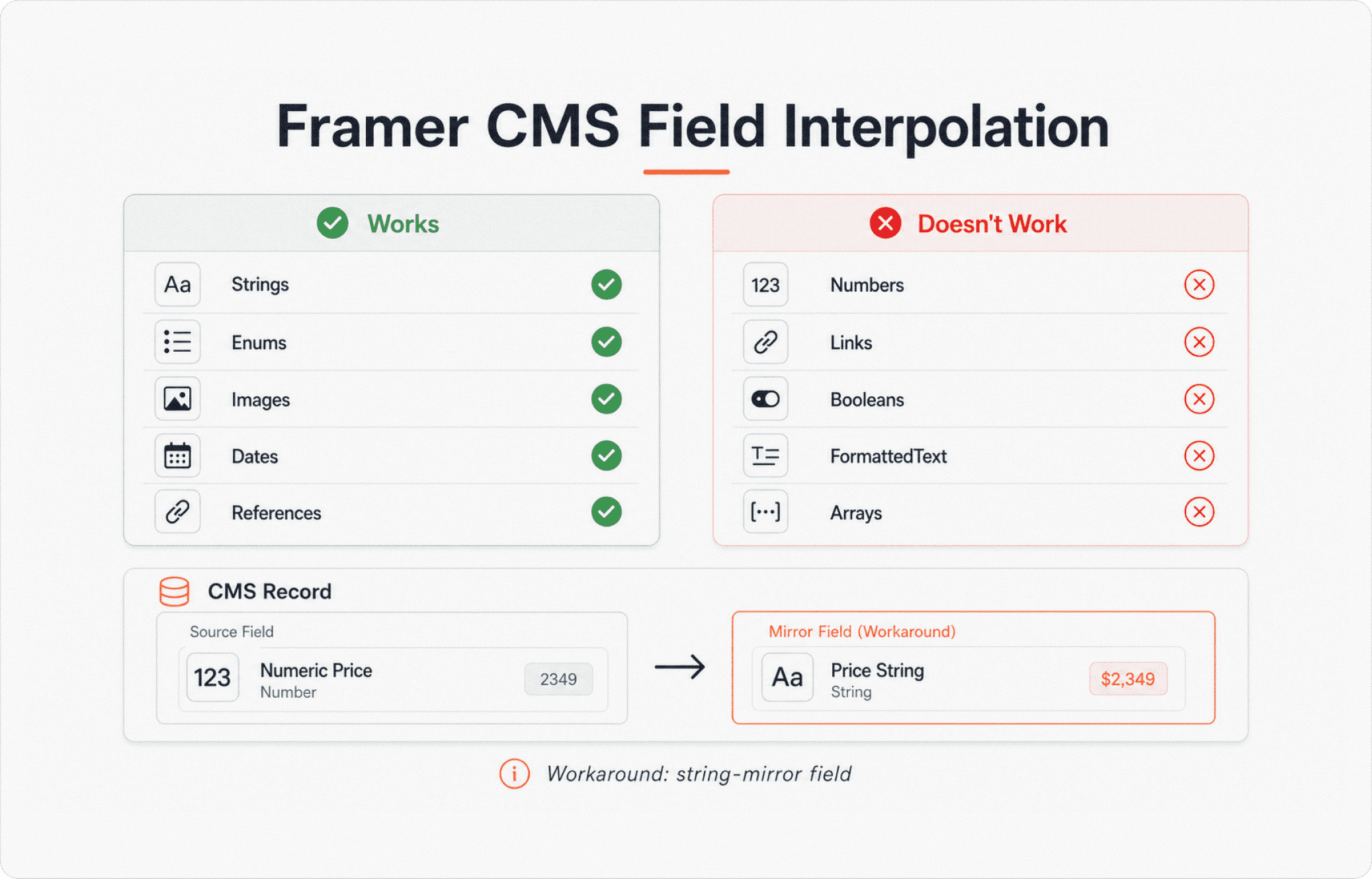
Image SEO realities on Framer
Image alt text on Framer is per-asset, not per-instance and not CMS-bindable. This is the limitation that catches every developer migrating from Webflow.
When you upload an image to Framer's asset library, the Alt Text field is stored on that specific upload. Place the image on five pages and every instance shows the same alt. There is no Framer-native binding from a CMS field to an image's alt attribute. Per-template or per-article unique alt requires re-uploading the asset with the alt typed in, or a Framer Marketplace plugin that injects alt from a CMS field at runtime.
Practical rules for image alt:
Decorative SVGs (dividers, icons, accents). Set alt to an explicit empty string. A page peppered with
alt="decorative divider"makes screen reader users wade through noise.Hero images rendered as
backgroundImage. These ship as real<img>tags on Framer. They DO need alt.CMS-driven images. Set alt at upload time. Re-upload with a unique alt per record if the page genuinely needs unique alt. For long-tail informational SEO this matters; for a homogeneous template gallery it usually does not.
If you need CMS-bound alt for accessibility compliance (regulated industries, government work), the path is a Framer plugin injecting alt at runtime. That is a workaround, not a native feature.
Sitemap, robots.txt, and canonicals
Framer's auto-sitemap is good with one missing piece. It auto-generates from page indexing toggles, regenerates on publish, and includes every page set to "Indexing: Yes." It has no <lastmod> element on URL entries. Google does not require <lastmod> and uses last-modified header data, but some crawlers and SEO tools weight it heavily. If you need it, the path is a Cloudflare Worker proxy that intercepts /sitemap.xml, fetches Framer's version, and adds <lastmod> from your build pipeline.
Pages set to "Indexing: No" auto-drop from the sitemap. Right behavior, but it means a live page with the toggle accidentally flipped vanishes from Google. Audit before publish.
Robots.txt is editable in Site Settings. Set explicit AI-crawler directives for the six crawlers worth naming in 2026:
GPTBot(OpenAI's crawler for ChatGPT training and Assistants browsing)ClaudeBot(Anthropic's crawler for Claude)PerplexityBot(Perplexity's crawler)Google-Extended(Google's separate token for Gemini and Vertex AI training, distinct fromGooglebot)Applebot-Extended(Apple's crawler for Apple Intelligence training, distinct fromApplebot)CCBot(Common Crawl, used by many LLM training pipelines)
A site that wants AI engines to read pages but not train on them allows these crawlers and disallows nothing. A site that wants to block AI training entirely sets Disallow: / for each. No half-measure between read-and-cite and don't-train; the crawlers do what their operators say they do.
Canonicals are auto-generated per page. Don't fight them. For variant control (paginated archive, filtered subcategory), use the indexing toggle plus a sitemap audit, not a manual canonical override. Manual <link rel="canonical"> injection works but Framer's auto-canonical wins on conflicts because it sits earlier in the <head>.
AEO and GEO on Framer, the AI search angle
This section did not exist in 2024 and is table stakes in 2026. AI engines (ChatGPT, Claude, Perplexity, Gemini, Google AI Overviews, Apple Intelligence) consume visible HTML and JSON-LD heavily. They do not run Googlebot's JavaScript-rendering pipeline, so client-side-rendered content is invisible to them.
Framer ships static HTML for most page content, which puts the platform in a good position for AI consumption. Two AEO levers:
Strong, layered schema. Product for sellable items. Service for what an agency or studio offers. ContactPage for contact pages. Article or BlogPosting for editorial content. Organization with sameAs for social profiles and contactPoint for sales. The graph pattern (Organization → WebSite → WebPage → Service / Product / Article) makes the page legible as a structured fact, not a wall of text.
/llms.txt is blocked, so schema is the substitute. Framer does not allow hosting .txt files at the root; /llms.txt, /humans.txt, and /security.txt all 404. The only workaround is a Cloudflare Worker proxy that intercepts the path and returns the file from a separate origin. For most clients it is not worth it. Well-structured schema accomplishes 90 percent of what /llms.txt would, because the same engines that read /llms.txt also parse JSON-LD and the schema graph encodes more semantic structure than a plain-text file. For sites where AI citation is a board-level KPI, the proxy is a one-day setup.
Robots.txt-level AI crawler control is covered in the Sitemap section above; the six 2026 crawler tokens to name explicitly are listed there.
A small lever beyond schema. Add Q&A blocks with H3 questions and direct answers. AI engines parse the structure even without FAQPage rich results, and questions become individually citable answers in chat-style results.
Performance and Core Web Vitals on Framer
Framer's defaults pass Core Web Vitals on a portfolio with three sections. They fail predictably on agency landing pages with Lottie heroes, scroll-triggered Motion stacks, or heavy 3D and cursor effects. The platform is not the bottleneck; the composition is.
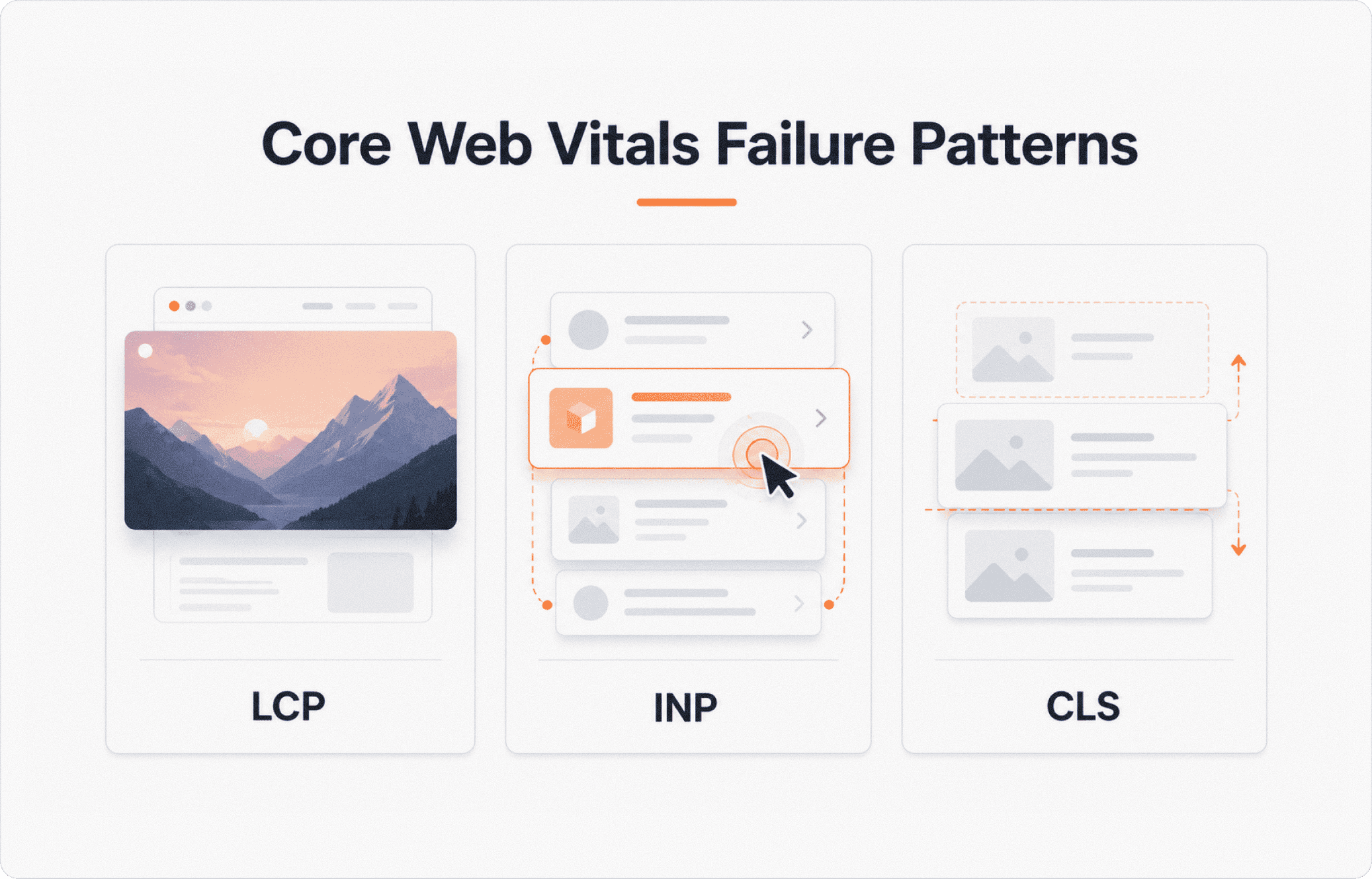
The three places I see CWV fail on real Framer client builds, in order of frequency:
Heavy hero media tanks LCP. A 4MB hero JPG, an unoptimised 8MB video, or a Lottie animation as the largest above-the-fold element. Set the hero image to the resolution it actually renders at (a 2880px master inside a 1200px container is wasted bytes). Source video from YouTube or Vimeo, not direct upload. Avoid Lottie as the LCP candidate; use a static image and animate elements behind it.
Heavy 3D, cursor, and parallax components hurt INP. Scroll-triggered Motion stacks on the hero, cursor-following effects, parallax on multiple layers all extend main-thread work and push INP past the 200-millisecond threshold. Delay non-essential animation, shorten its duration on the largest above-the-fold element, or remove it from above the fold. Measure on a real deployed page, not on the canvas.
Stacked images without Fixed Size cause CLS. Set every image inside a Stack to Fixed Size with explicit width and height. Framer's responsive scaling handles the rest.
Use Framer's image scaling sizes deliberately. Source at the resolution you actually need.
The one number worth measuring against, regardless of platform, is the field-data column in Google Search Console's Core Web Vitals report. PageSpeed Insights lab data is unreliable for INP. Field data is what real visitors experience and what Google ranks on. Framer's own help docs say the same thing.
Framer technical SEO limitations to call out honestly
This is the section no other Framer SEO article in this SERP is willing to write. Honest limits beat marketing hedge every time. The platform is good. It is not infinite.
No CSP, X-Frame-Options, or Permissions-Policy header customization. Framer does not expose these for tenant configuration. For sites that need a Content Security Policy (banking, healthcare, government), this is a blocker. The workaround is a Cloudflare Worker proxy that adds headers at the edge. For most agencies and SaaS sites it is a yellow flag, not a red one.
HSTS lacks
includeSubDomainsandpreload. Framer ships HSTS at one year without the two flags needed for the HSTS preload list. If your client requires preload, the Cloudflare Worker applies.No native CMS-field binding for image alt text. Per-asset only.
No
<lastmod>in the auto-sitemap. Cloudflare Worker proxy if you need it.No
.txtpaths at the root./llms.txt,/humans.txt,/security.txtall 404.Framer's auto-
BlogPostinghas known bugs.publisher.nameships empty. NoBreadcrumb. No@idcross-reference back to the site'sOrganizationorWebSite, so the auto-BlogPostingfloats disconnected from the site graph. Override with a complete custom block.
I name these because the alternative is the customer running into one mid-build and losing trust. Better to know the edges before you commit than to discover them three weeks in.
Common Framer SEO mistakes
The recurring failures I see on client audits.
Pasting JSON-LD em dashes through tools that down-convert UTF-8. Notion and Google Docs auto-replace double hyphens with em dashes on paste. Transmitted through a tool that does not preserve UTF-8, the em dashes ship as mojibake (
âor similar). Compose JSON-LD in a plain-text editor or directly in Framer's Custom Code field. Thecurlone-liner below catches it fastest.Adding
AggregateRatingtoOrganizationwith thin or unverifiable review counts and noReviewchildren. Google's spam policies treat aggregated review schema as something that must reflect real, verifiable reviews. If your schema claims a 4.8 rating with noReviewchildren visible on the page, or with a count too small to be meaningful, you are exposing yourself to a manual action that deindexes the page until you fix it. Ship genuineReviewitems as children, or do not ship the rating. Schema cosplay is worse than no schema.Using
FAQPageand expecting rich results. Google restrictedFAQPagerich results to government and healthcare sites in August 2023. Agency, SaaS, and template sites will not see the FAQ accordion in the SERP regardless of schema quality. ShipFAQPagefor AEO context, do not promise a rich result that will not appear.Trusting Framer's auto-
BlogPostingwithout overriding. Bugs above. Override every blog detail page with a custom block.Leaving thank-you, draft, and form-receipt pages indexable. A
/thank-youindexed accidentally shows up in branded searches. A staging draft at "Indexing: Yes" can outrank production if the staging URL has more inbound links. Toggle "Indexing: No" on every non-public page.Three duplicate H2s in the rendered DOM from desktop, tablet, and phone variants. The tell is opening DevTools and finding the same heading three times. Fix: one section per heading with Layout Variants for breakpoint-specific styling, not three separate sections.
Validation toolkit, the closing operational asset
Bookmark these. Run them in this order before any client handoff.
Google Rich Results Test. Per-URL schema check. Tells you which schema types Google reads and which fields surface as rich results. Run on every public page that ships custom schema.
Schema.org Validator. Full graph validity. Catches malformed JSON, missing required fields, type mismatches. Run after Rich Results Test passes; the validators check different things.
PageSpeed Insights. Core Web Vitals on mobile and desktop. Lab data to find what is broken, field data to confirm whether real visitors experience it.
Search Console URL Inspection. Indexing status, last-crawl date, render diff (rendered HTML versus source HTML). Run on every page that ships custom schema or relies on JS for above-the-fold content.
Mozilla Observatory. Security header score. Tells you what is missing (CSP, X-Frame-Options, Permissions-Policy, HSTS preload). Useful for client audits with a security deliverable.
The curl mojibake check. Pulls the raw bytes of a JSON-LD block and shows whether em dashes or smart quotes have shipped as mojibake. Faster than DevTools.
Returns the literal characters Google sees inside the JSON-LD. Anything other than ASCII or properly-encoded UTF-8 in the values, fix the source.
FAQ
Does Framer support JSON-LD schema markup in 2026?
Yes. Framer has supported JSON-LD via Custom Code for years. Paste a <script type="application/ld+json"> block into Site Settings → Custom Code → End of <head> for site-wide schema, or Page Settings → Custom Code → End of <head> for per-page schema. CMS-driven values interpolate using {{Field_Name | json}} tokens, where underscores replace spaces from the CMS field name and the | json filter escapes the value for valid JSON-LD output. Skip the filter and Framer's docs warn the schema "quietly breaks" if the value contains quotes, line breaks, or symbols. Validate every block in Google's Rich Results Test before publish.
How do I add custom JSON-LD to a Framer page?
Open Page Settings, scroll to Custom Code, paste your <script type="application/ld+json"> block into the End of <head> field. Use {{Field_Name | json}} tokens to read CMS field values: underscores replace spaces from the CMS field name, and the | json filter escapes the value for valid output. Built-in CMS-item variables {{Created | json}} and {{Updated | json}} are available without configuration. For cross-collection reference fields, the documented same-collection syntax is {{Field_Name | json}}; cross-collection traversal is not explicitly documented, so the safe default is a string-mirror field on the source collection (covered in the article above). Verify the rendered output in View Source and validate in Google's Rich Results Test.
What CMS field types does Framer interpolate in Custom Code?
Five field types interpolate cleanly: strings, enums, images (read as the asset URL), dates (ISO 8601), and references ({{Field_Name | json}} for same-collection fields; cross-collection traversal is not explicitly documented and the string-mirror workaround is the safe default). Five do not: numbers, links, booleans, formattedText, and arrays. The workaround for non-string fields is a string-mirror CMS field, a Plain Text field that holds a string version of the source-of-truth value. Read JSON-LD from the mirror.
How do I add image alt text in Framer?
Framer's alt text is set on the image asset at upload time, not per-instance and not via CMS field binding. Open the asset library, click the image, type the alt text. The alt persists across every page that uses that asset. Per-template or per-article unique alt requires re-uploading the asset with a different alt typed in, or a Framer Marketplace plugin that injects alt from a CMS field at runtime. For decorative SVGs, set alt to an explicit empty string.
Does Framer have a /llms.txt file for AI crawlers?
Not natively. Framer cannot host .txt files at the root, so /llms.txt, /humans.txt, and /security.txt all 404. The only workaround is a Cloudflare Worker proxy in front of the domain that intercepts the path and returns the file from a separate origin. For most sites, well-structured schema (Organization, Service, Article, Product, WebPage linked via @graph and @id) accomplishes 90 percent of what /llms.txt would. For sites where AI citation is a primary KPI, the proxy is a one-day setup.
Why is my Framer site's INP score bad?
The most common cause on Framer is heavy 3D, cursor, or parallax effects on the largest above-the-fold element. Scroll-triggered Motion stacks, hero Lottie animations, and animated card grids extend the main-thread work and push INP past Google's 200-millisecond threshold. Delay the animation, shorten it, or remove it from above the fold. Measure INP from real visitors via the field-data column in Google Search Console, not PageSpeed Insights lab data.
Does Framer's auto-BlogPosting schema work or do I need to override it?
Override it. Framer's auto-BlogPosting ships with empty publisher.name, no Breadcrumb, and no @id cross-reference back to the site's Organization or WebSite. It floats disconnected from the page graph. Add a custom BlogPosting block in Page Settings → Custom Code → End of <head>, with publisher linked via @id to the site's Organization, an explicit BreadcrumbList, and mainEntityOfPage set to the page URL. Validate in Google's Rich Results Test.
The close
Framer's defaults are a starting line, not a finish line. The Reddit "empty div SPA" critique is half right on a 2022 build and half a beat behind what Framer ships in 2026. The vendor line "SEO-ready out of the box" is half right on the eight defaults and half a beat behind on the eleven things you still set yourself. The diagnostic above reconciles both. JSON-LD with {{Field_Name | json}} interpolation and the unsafeRaw escape hatch. The string-mirror workaround. Per-asset alt text. Robots.txt for the six AI crawlers. The Cloudflare proxy when /llms.txt matters. The honest limitations. The validation toolkit.
If you are starting your next Framer client build and want a starting point that already has the technical base done, our template library at oma-kase.com/templates is built around exactly this. Use OMAKASE20 for 20% off your first one.
Just migrated and your CWV are a wreck? The Webflow-to-Framer SEO guide covers migration-specific failure modes this audit will not catch. Building at long-scroll enterprise scale? The enterprise-Framer piece addresses the heading-hierarchy and rendering-pipeline questions the diagnostic frame here only points at.